Space Weather Information Monitor :: HFRadio.org


NEW: HOW-TO:
How do you make your HF ham station work more efficiently? The ANTENNA is the key! - introduction to Antenna Modeling


MAIN PROPAGATION MENU:

- Visual Space Weather
- Last Minute Forecast
- Current Condition Report / Alert
- Current Forecast Section
- Sunspot Cycle/MUF/FOT Tables
- Current Optimal Frequencies
- Aurora Resources

- Discuss Propagation Forum
- Educational Resources
- What's a CME?

Is HF Propagation Reciprocal? - New How-To

De-mystifying HF Radio Propagation and Modeling - New How-To

NEW! ACE-HF propagation software Version 2.05: THIS IS THE VERY LATEST! Forecasting and modeling for Ham as well as for SWL operators. CHECK IT OUT.

This website is kept alive by Tomas (NW7US), out of "spare change" (which there's not always enough of), and, by the kind, helpful people who visit this website. If you are able to help me keep this website up and running, please: help me keep this site running:

You can help by donating through PayPal (use the button, above), or, by purchasing any of the following items, which you benefit directly from:

BEST BUY: ACE-HF PRO Propagation Software Version 2.05 (NEW!)

The following are from Solar Terrestrial Dispatch (STD):

- SWIM PC Software
- Aurora Monitor Software
- All STD Software PLUS the space weather and radio propagation educational course

(End of plea for help!)

Other cool stuff:

- eAlert Sign-Up
- eAlert Help Page

- Propagation Links

- Contact me with your comments
- About Amateur Radio

WE NEED YOU:

- PropNET - live propagation studies

Want to learn about Propagation and Space Weather? - Take the STD Space Weather Education Course, today!

- Shortwave Radio Resource Center
- Shortwave Broadcasting Search
- English Shortwave Broadcasts

To view the best working frequency by time, check out:

+ Current Optimal Frequencies

If you are using software utilities such as Ace-HF, that require a "smoothed" sunspot number, or flux index, use the data found here:

+ Predicted SMOOTHED Sunspot Number And Radio Flux Values with Expected Ranges

+ The eAlert (email) Propagation Reports

Comments? Please use the feedback form. I look forward to hearing your comments.

Check out some of the other activities that I am involved in:
+ I.C.D.M.
+ NewWebMakers.com
+ Healthy-At-Home.biz

More resources for you:
+ Join the On-line Propagation Discussion Forum, today! We need your input and participation. The NW7US Discussion Forums include:
Special Notice: I need your help with the Server Operation and Equipment Upgrade Fund. See the NW7US Support Page. A small donation can help me keep this free resource on the 'net. (Thank you).

You can also support this service by shopping here:

+ Shop for Shortwave Radios
+ Shop for Shortwave Books
+ Shop for Amateur Radio Books
+ Shop for Radio Antenna Books
+ Shop for Radio Propagation Books

I NEED YOUR HELP TO KEEP THIS RUNNING!


Google
 
Web hfradio.org


Subscribe to my Space WX RSS Feed:
(Opera 9.x):
Widgetize!


Radio Propagation Picks by NW7US:


END-OF-YEAR SALE! BUY NOW, AND SAVE A BUNCH! DETAILS BELOW.

We are pleased to announce the release of STD SWIM, the most advanced Space Weather Information Monitor in the World. SWIM (Space Weather Information Monitor) sets new standards in Space Weather software technology to bring Everything within easy reach.
Space Weather Information Monitor Software - sample screen shot
  • Monitor, display, animate or print to your printer over 200 default space-weather related Internet resources, in real-time.
  • Use SWIM to expand and manage THOUSANDS of additional internet resources quickly and easily.
  • Simply cut and paste Internet URLs of resources you find interesting and SWIM will immediately begin managing those resources for you.
  • Configure each resource independently.
    • Specify how often each resource should be refreshed from the Internet.
    • Specify how much disk space each resource should be allowed to consume.
    • Indicate what conditions should exist for SWIM to dynamically change refresh rates or disk storage sizes - without human intervention.
  • Create and save your own image layouts. E-mail and share your own layout creations with others.
  • Retrieve the latest space weather forecasts and summary reports. Add any number of other textual reports you find on the Internet.
  • There is no limit to how large (or small) an image may be that is retrieved from the Internet. SWIM will dynamically resize itself to the image.
  • Plot and archive a large assortment of real-time space weather data:
    • Solar x-rays (1 to 8 Angstrom and 0.5 to 4.0 Angstrom bands) from the GOES-10 and GOES-12 spacecraft.
    • GOES-11 and GOES-12 Energetic Protons at >1, >5, >10, >30, >50 and >100 MeV.
    • >0.6 and >2.0 MeV electrons from GOES-12, as well as 24-hour electron fluence levels.
    • Thule, Greenland Neutron Monitor data.
    • Magnetometer data from GOES-10 and GOES-12 (all orthogonal components).
    • Solar wind velocity.
    • Solar wind density.
    • Solar wind temperature.
    • Interplanetary Magnetic Field (IMF) magnitude (Bx, By, Bz and Bt).
    • IMF Theta and Phi angles.
    • Differential electron flux from the ACE spacecraft (2 energy channels).
    • Differential proton flux from the ACE spacecraft (5 energy channels).
    • Integral proton flux from the ACE spacecraft (>10 and >30 MeV).
    • Predicted magnetospheric RAM pressure from the solar wind.
    • Predicted magnetospheric polar cap potential.
    • Transit time for the solar wind to reach the Earth from the ACE spacecraft.
    • Orbital Distance of the ACE spacecraft from the Earth.
  • SWIM includes interactive and dynamic user controls for viewing all plotted data, including:
    • Zoom controls - zoom in on any area of any data plot.
    • Pan controls - pan around a plot while zoomed in.
    • Change the colors of plot lines, grid lines, chart backgrounds, foregrounds, gradients, etc. to suit your individual taste.
    • Load any number of days of data and plot together on one chart. Then zoom in on areas of interest.
    • Navigate to any date.
    • Optional master database (>1 gigabyte of data) may be purchased and used in SWIM to provide a contiguous database of almost all plots from late 1996 to the present.
    • Print any plotted chart to your printer - in full color.
  • SWIM provides free and unlimited access to our full digital SMS warning service using a built-in SMS interface control panel.
    • Receive solar flare alerts, interplanetary shock detection alerts, geomagnetic activity index (observed Kp and predicted Kp) alerts, auroral activity sighting notifications, IMF alerts, proton and electron density alerts, solar radio sweep and tenflare event alerts, and/or space weather summary statistics information. This is the most comprehensive and user-customizable service available. And it's all freely available to owners of SWIM. Your computer does not need to be turned on for these SMS services to be received if you have an SMS capable cellular phone or pager that can receive Internet e-mail.
  • Track near real-time geomagnetic A and K indices from a global network of magnetic observatories.
  • Receive near real-time auroral activity sighting reports from the Global Auroral Activity Observation Network.
  • Submit your own sighting reports to the Network using SWIM.
  • SWIM includes an interface to participate (if desired) in a discussion forum dedicated to solar and auroral activity and populated by amateurs and professionals around the world.
  • All Internet data is retrieved using background tasks.
  • SWIM supports the simultaneous retrieval of up to 10 Internet images at a time for maximal throughput on fast Internet connections. Each user can adjust this limit to suit his or her own needs. Users on dial-up connections may prefer lower settings while users on fast connections may prefer higher settings.
  • SWIM includes a printable 79-page color users manual in Adobe Acrobat Reader format.
Sample screen-captures of SWIM in operation:

(User's of our STD Aurora Monitor will immediately notice a similarity in the looks and some of the features of SWIM. However, the similarities end there. SWIM was written from the ground up and is far more advanced and sophisticated than the STD Aurora Monitor will ever be.)

Space Weather Information Monitor

Use SWIM to zoom in on an area of a plot. The example shows a plot of solar x-rays during a long-duration minor M-class solar flare event.

Inset in the lower-right corner of this screen-captured image is another smaller screen-captured image that was taken after SWIM was used to zoom in on the M-class flare. Extremely detailed measurements and analysis can be performed using the zoom tool.

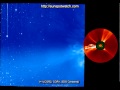
In this example, the inset image shows SWIM being used to measure the integrated x-ray flux of the flare. Also shown is a large 1024x1024 pixel image of the solar corona using SOHO's LASCO instrument. If the image displayed by SWIM is too large to entirely fit on the screen, SWIM automatically displays scroll-bars (as is visible in this example) so you can navigate areas of the image that are not visible. Amateurs around the world have used these large format images to find new sun-grazing comets. And with the animation controls available in SWIM, finding them is made simpler.

You can add your own images and tabs (or even create entirely new and extensive "trees" of tabs) to the layout by simply right-clicking on an image and selecting from the options. There are no limits to what you can do.

Any image on the Internet can be monitored and managed using SWIM. Resources do not have to be space weather related. For example, the example screens above include the current observed sea-surface temperatures on the Earth, and observed magnitudes and locations of Earthquakes. Inset within that is the Astronomy Picture of the Day image!

The image tabs in the above examples appear (by default) on the left-side of the SWIM windows. If you don't like this, it is simple to change. Simply click a button in the Options to change SWIM so it displays the tabs along the right side, or the top side, or even the bottom of the SWIM window. There are many other controls available to make SWIM an enjoyable and fun tool to use.

SYSTEM REQUIREMENTS
  • Pentium II microprocessor (the faster the better).
  • Supported Platforms: Windows XP, Windows 2000 or Windows NT4.0 (Service Pack 5 or higher).
  • 128 MB of memory recommended. It will work with less, however (no less than 64 MB).
  • Monitor capable of displaying at least 800x600 pixels (minimum). Recommended: 1024x768 or larger.
  • At least 100 to 200 MB of free hard-disk space (up to 1 gigabyte may be required for the optional database)
  • If purchasing SWIM on CDROM, a CDROM drive is required capable of reading conventionally burned CDROMs.
STD SWIM (does not include Database) shipped via the Internet
STD SWIM (includes SWIM Plot Database) on CD-ROM

SALE! $99.95 - normally $145 USD

SALE! $129.95 - normally $175 USD


We will provide simple e-mailed instructions for obtaining and installing the software over the Internet. Or, order the software on CD-ROM.